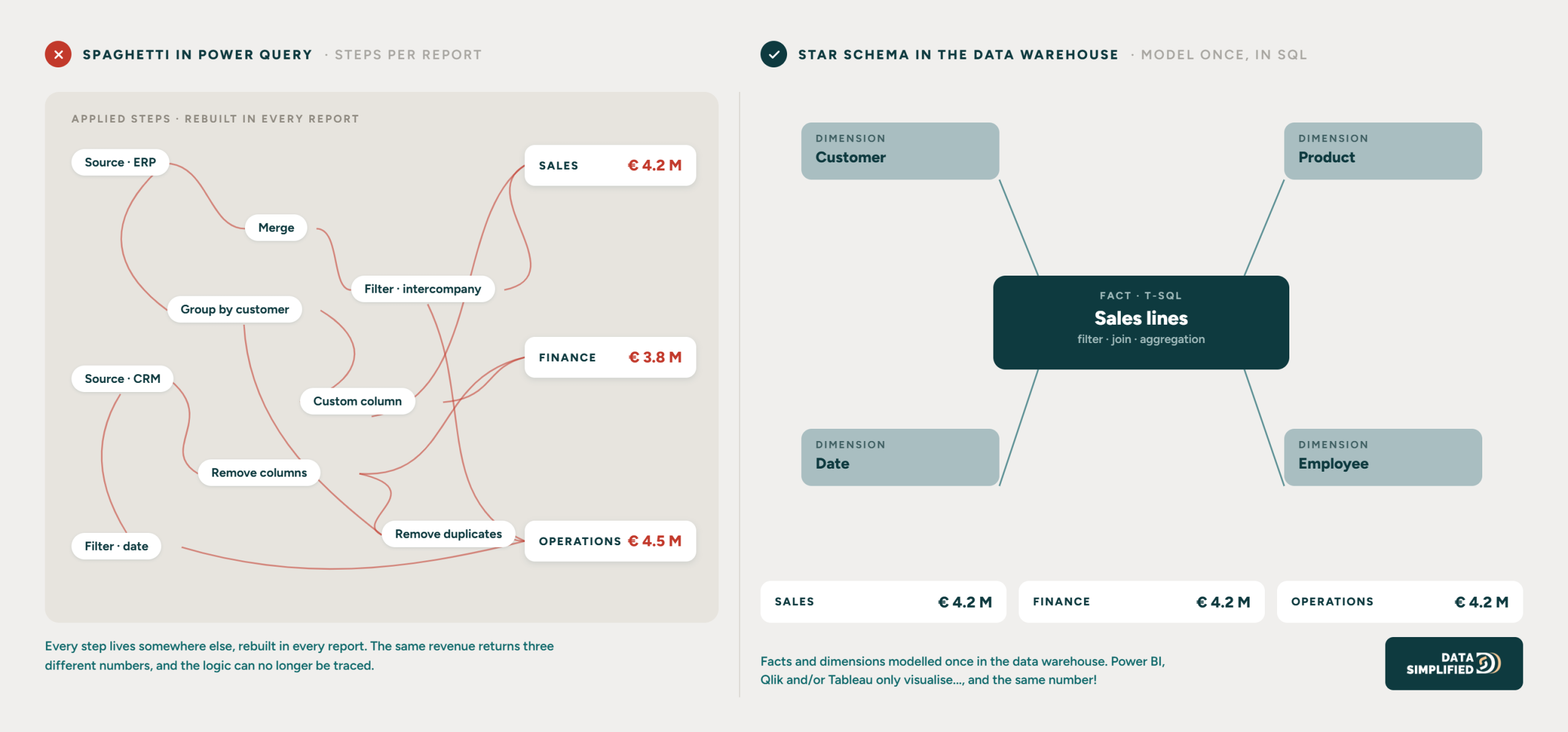
Two reports on the same revenue, two different numbers. You open both and notice that one applies a filter the other does not know about. The filter does not live in the data model, but in a Power Query step halfway through the report…
Power Query is an excellent tool, just not for heavy or complex transformations. And once business logic ends up there, problems could quickly arise:
Scattered logic: the same operation gets copied from report to report, quietly creating several versions of the truth.
Performance: reports slow down as datasets grow, and users end up waiting for numbers they need to decide on.
Cost: larger volumes push you towards more expensive licences, locking you deeper into the vendor’s ecosystem.
And then there is something that only surfaces when somebody else takes over the report. Logic inside a report is unreadable to anyone outside that report, both to the colleague taking it over and to the AI tools we work with today. Can’t trace it? Can’t review it.
Ask yourself as well whether the sales data you pull in for another department went through the same filtering and cleaning as it did inside sales. The moment you have to repeat intercompany definitions in every report, your logic sits in the wrong place.
The approach: transform before you visualise
Centralise your transformations in your data platform, using SQL and stored procedures in your data warehouse. Let Power BI, Qlik or Tableau do what they are good at, which is visualising. That way every report shares the same foundation and the logic stays in one place.
A PRACTICAL BOUNDARY
Renaming a column or setting a data type in Power Query is fine. Joins, aggregations and business logic belong in the data warehouse. The moment a step filters out rows or joins tables, the number itself changes, and that step no longer belongs in the report.
KEY TAKEAWAY
Put your heavy transformations and business logic in the data warehouse. Then your reports stay fast and your logic sits in one place where everyone (and every application) can find it.
DOWNLOAD THE FULL LONGread
This is blunder 3 of 4. Want all the blunders, including insights and solutions?