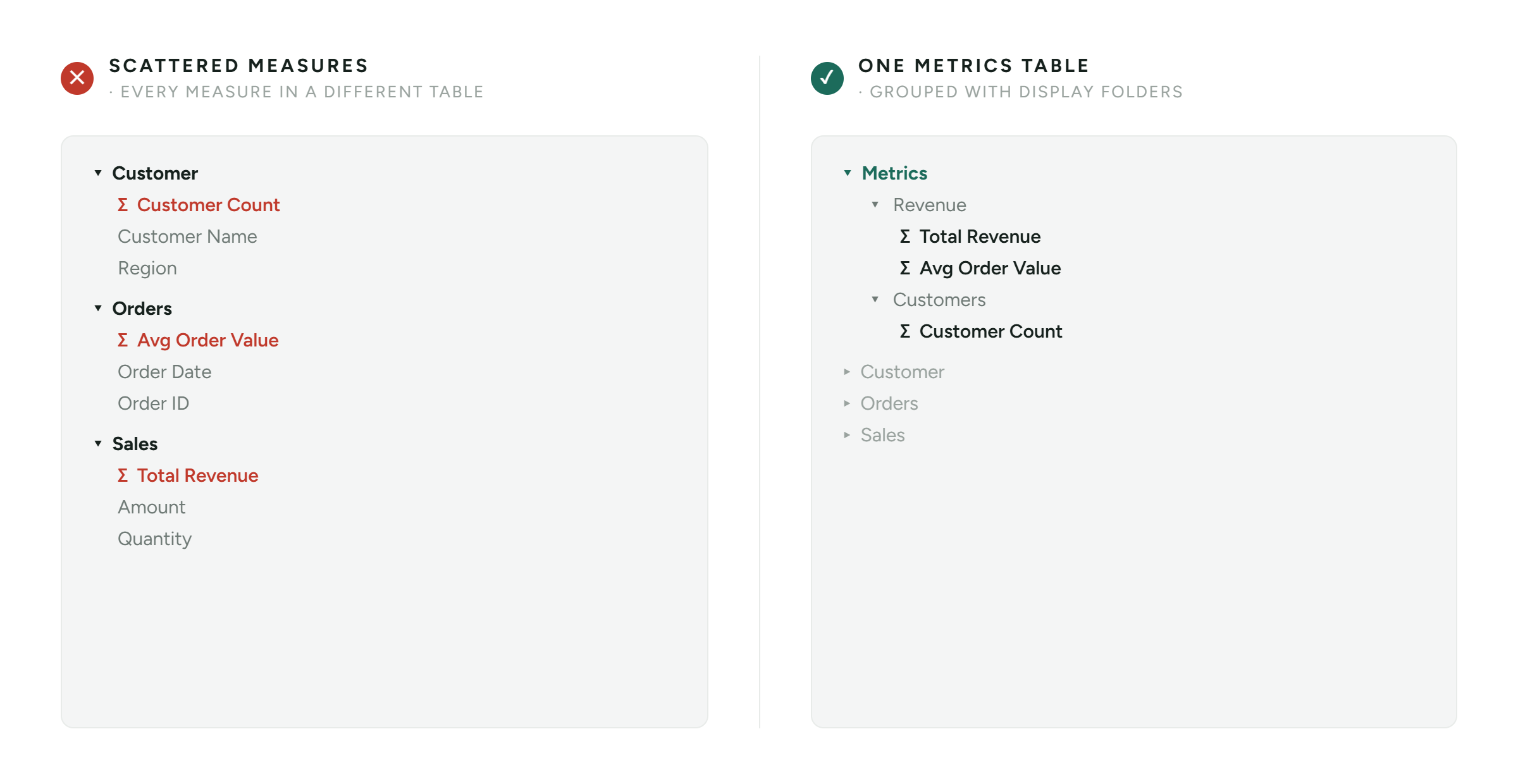
With a clear structure, you don’t have to search for things yourself
Power BI tip 3 of 4: small tweaks, big difference.
3/4 – Download the full longread for all tips
In many models I come across, measures are scattered across the tables in which they were created. Total Revenue is in the Sales table, Customer Count is in the Customer table, and Avg Order Value is in the Orders table. At the time of creation, this makes perfect sense, but two months later nobody can remember where anything is.
When you’ve got twenty, thirty or fifty measures, you don’t want to have to click through ten tables to find what you need. The Fields pane has a search function, but that only helps if you already know the name of a measure. If you don’t know that, or if you’re unaware that a KPI already exists, someone will end up creating it a second time with a slight variation. You end up with two measures doing almost the same thing.
For end users who customise a visual themselves, the question is even more concrete. Where on earth is that measure again?
The approach: the ‘Metrics’ table
Create an empty table, call it Metrics, and move all your measures into it. That table holds no rows of data at all, it simply acts as the central place. Inside it you then group with Display Folders, for example Sales, Finance and Operations, so you end up with a folder structure instead of one long list.
The result is that everyone looks in the same place. Your model can grow without the mess growing with it, and end users find everything without having to ask you.
A QUICK WIN FOR LARGER MODELS
Moving measures one by one in Power BI Desktop works, but it gets tedious fast. Tabular Editor lets you move them in bulk and drag Display Folders into the right structure. If you want to go further, a C# script does the same job for an entire model in a few lines.
KEY TAKEAWAY
A measure nobody can find effectively does not exist. One Metrics table with Display Folders costs you half an hour and makes your model findable for your colleagues, your end users and your future self.
DOWNLOAD THE FULL LONGread
This is tip 3 of 4. Want the full step-by-step, together with the other three quick wins?