Your data model is the first thing a colleague sees
Power BI tip 2 of 4: small tweaks, big difference.
2/4 – Download the full longread for all tips
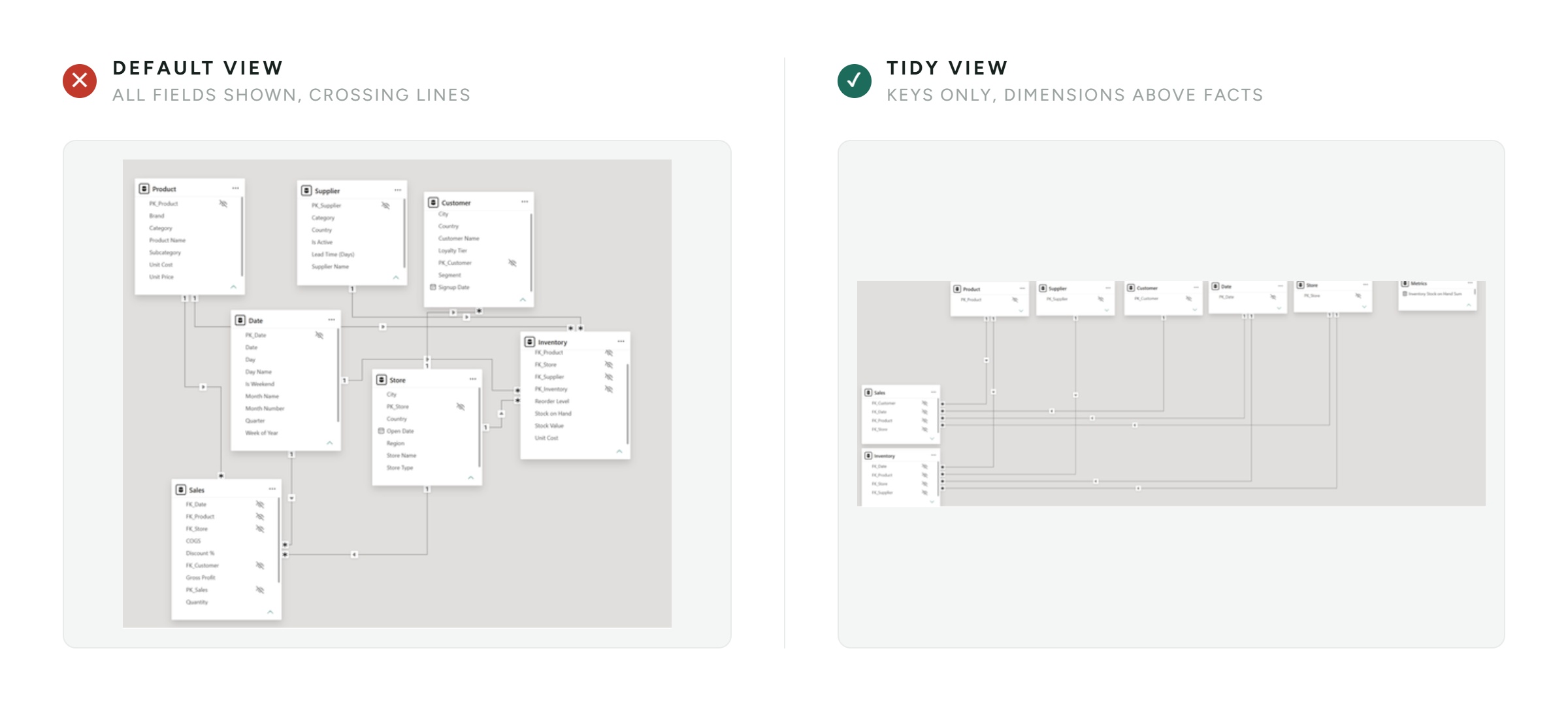
Open the Model View of a report you have not touched in a while, and you know straight away how much work is coming. Tables sit scattered across the canvas, relationship lines cross each other, and there’s no clear distinction between facts and dimensions. Tidying up, however, costs almost no time.
A messy Model View is not an aesthetic issue. It is the first thing a colleague sees when they take over your report, and a clear structure helps them understand the model straight away. As long as the structure stays unclear, every change costs more time and missing or incorrect relationships slip through easily.
The approach: give your model a fixed layout
Model View Arrangement is not a feature you switch on, it is a way of working. You place your fact tables on the left, group the dimensions above them near the fact they connect to, and hide the columns end users do not need, such as technical keys and IDs. Anyone opening the model later sees the structure at a glance.
A QUICK WIN FEW PEOPLE KNOW
In the Properties of each table, set ‘Show related fields when card is collapsed’ and ‘Pin related fields to top of card’ to Yes. Collapse a table and the columns carrying relationships stay pinned at the top. That way you see a table’s connections immediately, without expanding everything.
That last part is the difference between a model you have to unravel and a model that speaks for itself. Debugging takes less time, and your colleagues no longer need to ask you how the model was meant to work.
KEY TAKEAWAY
A tidy data model is documentation you never have to write. It costs you ten minutes and saves you those minutes every time you come back to it.
DOWNLOAD THE FULL LONGread
This is tip 2 of 4. Want the full step-by-step, together with the other three quick wins?